MenaJobs for Chrome · Free
Know if a Gulf job is worth it. Then apply in minutes, not an hour.
Fake job posts, roles only open to nationals, forms that ask for your visa status for the tenth time. The extension checks the job first, then fills the form from your MenaJobs profile. You always press Submit.
Works in Chrome on your laptop or desktop.
On your phone? Chrome extensions don't run on phones. Open menajobs.me/extension on your computer to add it.
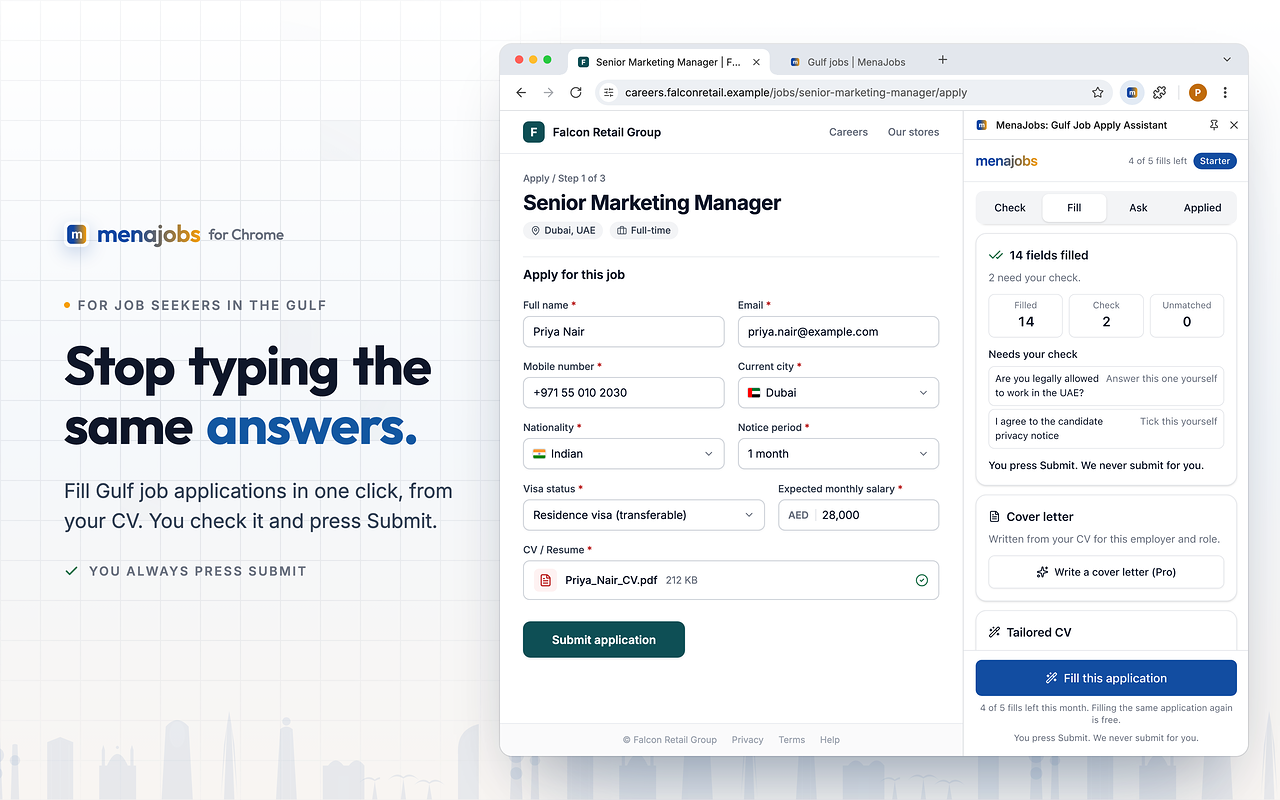
You always press Submit
Inside the extension
From job post to applied
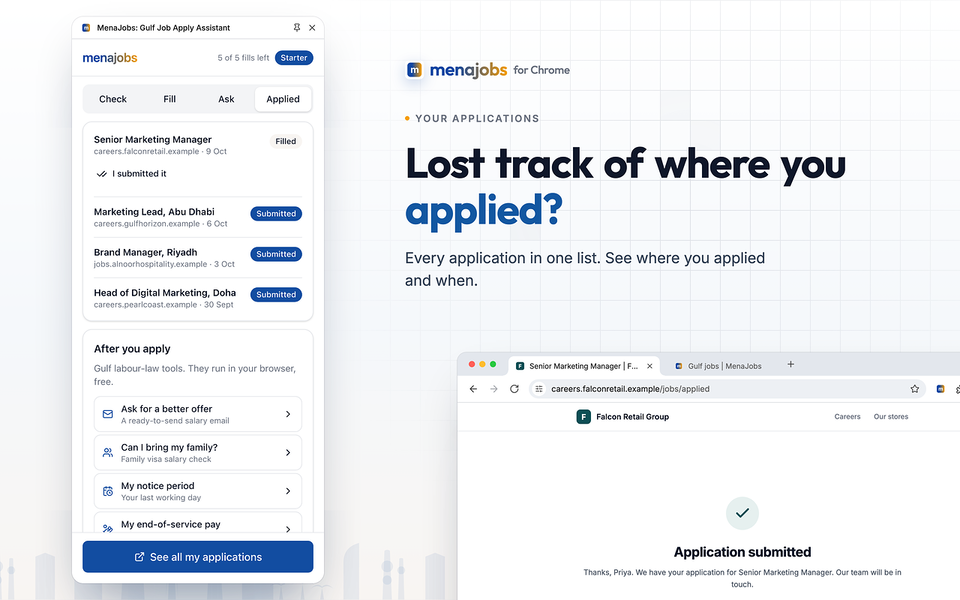
Check the job, fill the form, ask about it, add your Gulf details once, keep track of where you applied.
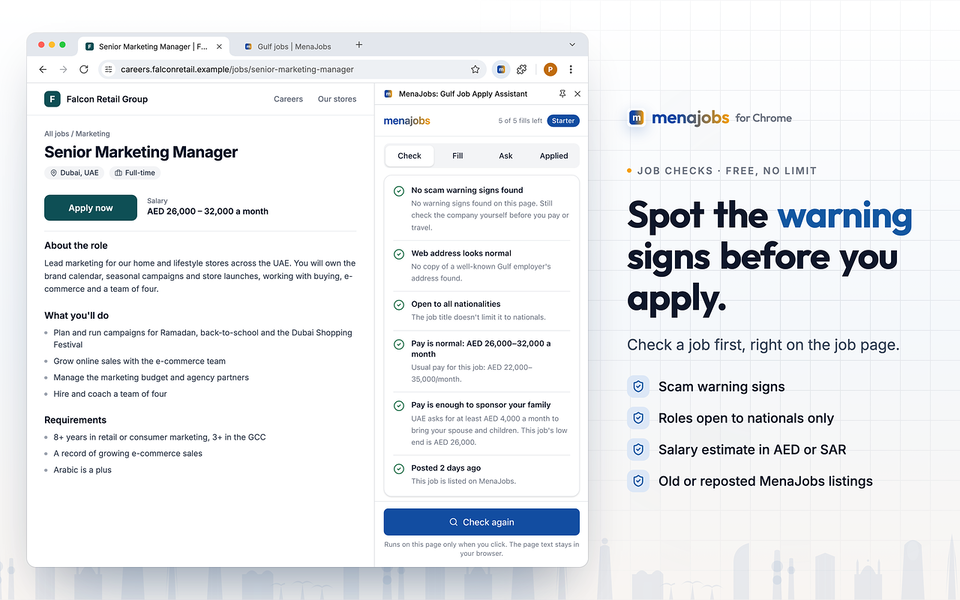
Job checks · Free, no limit
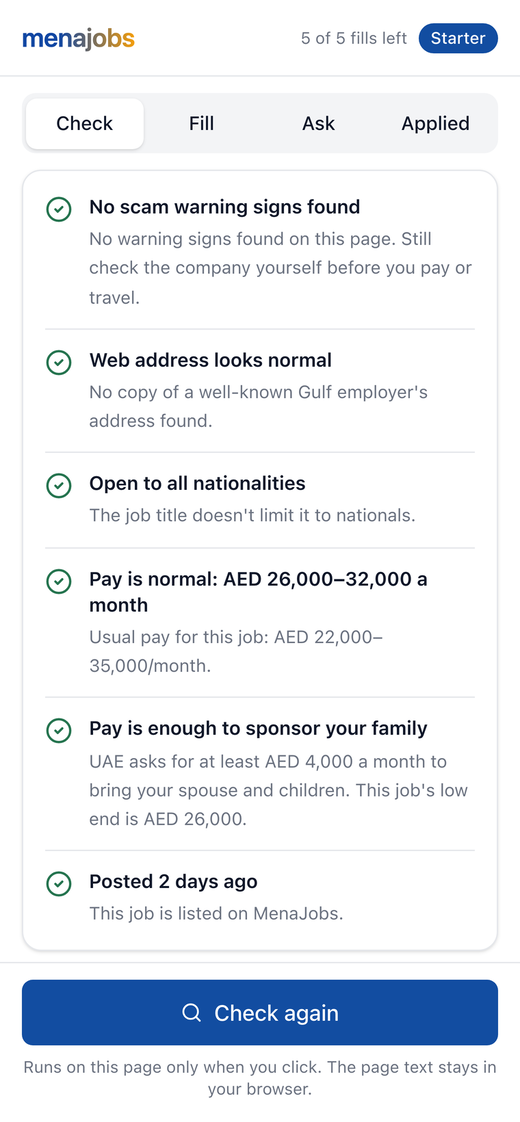
Before you apply: check the job, free
Click Check on any job page. No account needed, no limit.
When you apply
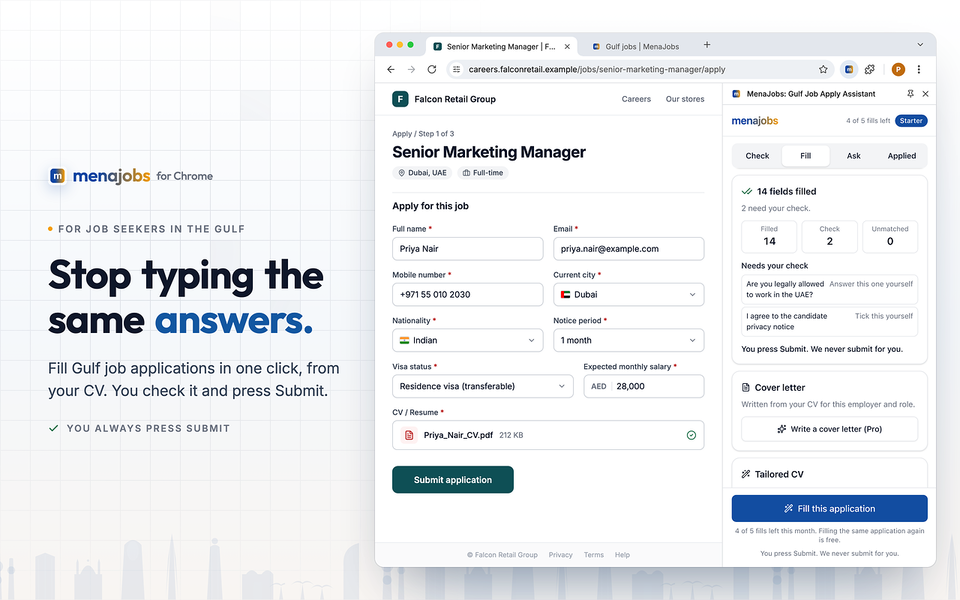
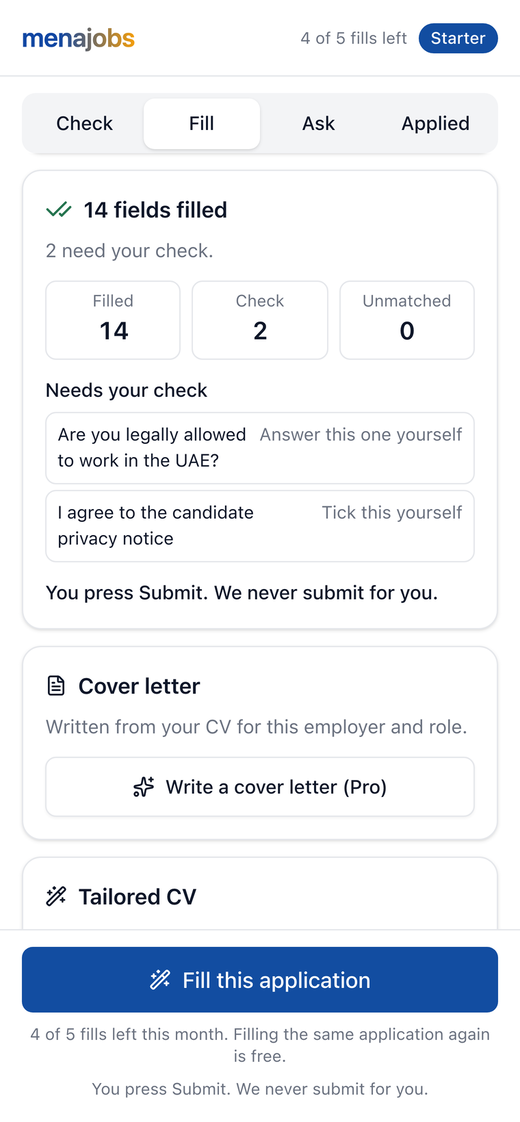
The form fills itself
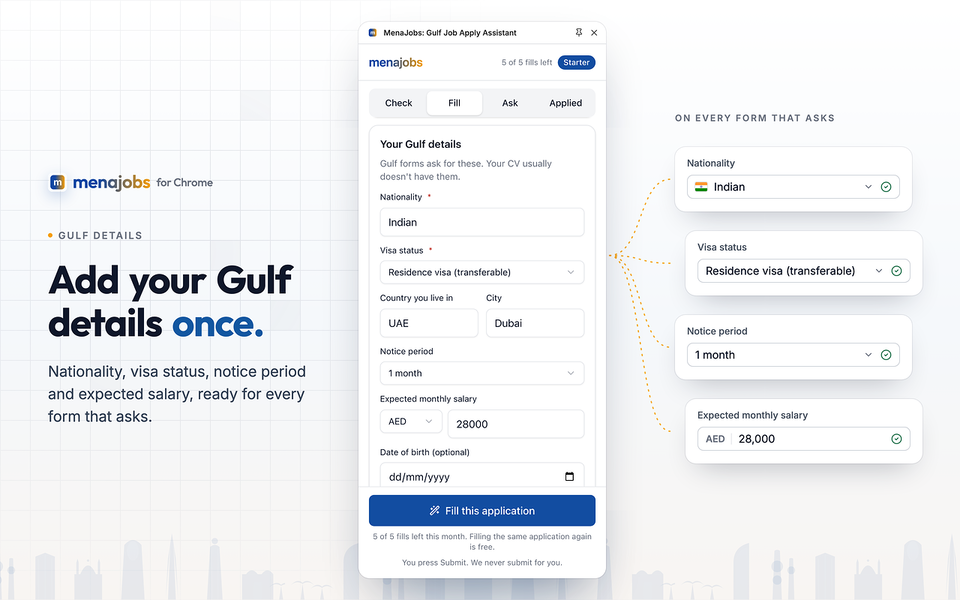
Gulf application forms ask for the same things every time: nationality, visa status, notice period, current city, expected salary. Add them once. The extension fills them, plus your contact details, work history and CV, on forms from Greenhouse, Lever, SmartRecruiters, Oracle, Workday and more. On other sites it fills what it can on the page you're on.
You need a free MenaJobs account and your CV uploaded. Your first 5 fills every month are free.
The extension never sends an application for you, and it never applies to jobs in bulk.
It fills the form, then stops. You read every field, change anything you want, and press Submit yourself.
How it works
Three steps. You stay in control.
- 1
Open a job and click Check
Free, no sign-up. Most checks run in your browser. For the old/duplicate job check we send the page address, job title and company to MenaJobs.
- 2
Click Fill on the application form
Your name, contact details, work history, CV and Gulf details go in for you.
- 3
Read it, fix anything, press Submit
Nothing is sent to the employer until you press Submit yourself.
Free and paid
What's free, what's paid
See everything free first. Pay only if you want more.
- Job checks: scam signs, nationals-only, salary estimate, old or duplicate job. No limit.
- 5 form fills a month.
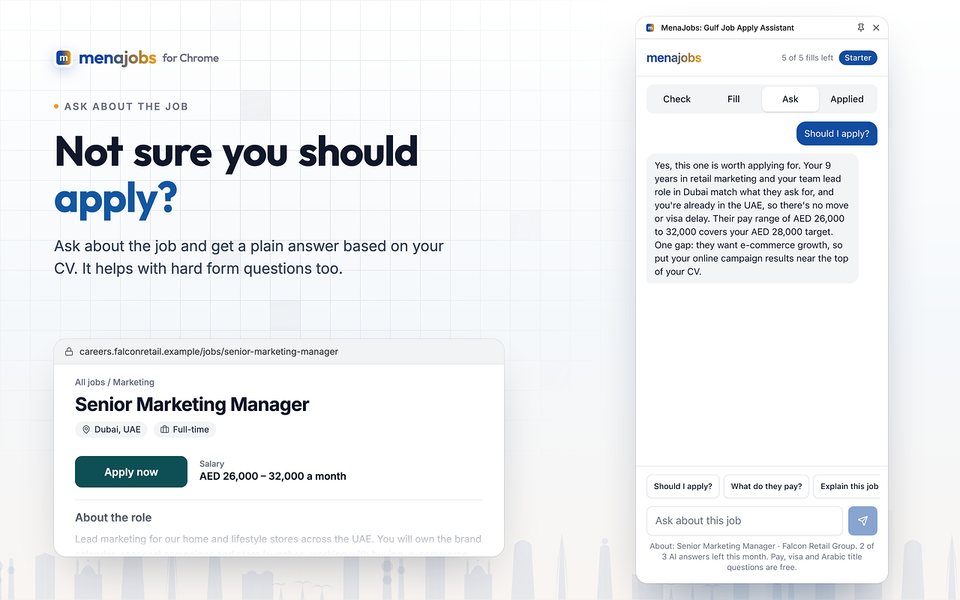
- 3 written answers a month for open questions like “Why do you want this job?”.
- Your applications list at menajobs.me/applications.
- Fill as many applications as you need (fair use).
- Written answers without the monthly limit.
- A cover letter written for each job.
You upgrade on menajobs.me, never inside the extension. See prices · Refund policy
Don't want a monthly plan?
- 30-day Job Hunt Pass: unlimited fills, written answers and cover letters for 30 days. One payment, doesn't renew.
- CV pack: your CV rewritten for 3 jobs you pick, made from the job page in the extension. Credits never expire.
Once you've used your 5 free fills, the next application waits until next month or until you upgrade. Don't let the job you wanted close while you retype the same form.
Your data, in plain words
- Nothing leaves your browser until you agree on the first screen.
- It only reads a page when you click Check or Fill. It never records your browsing.
- Your profile comes from your MenaJobs account and is cleared when you close Chrome. Your CV file is never saved in the browser.
- No ads, no selling your data, no third-party tracking in the extension.
- Disconnect any time, or ask us to delete your account and everything with it.
Stop retyping. Start applying.
Every evening spent on the same form is an evening not spent on the next application.
Works in Chrome on your laptop or desktop.
On your phone? Chrome extensions don't run on phones. Open menajobs.me/extension on your computer to add it.
No CV on MenaJobs yet? Check My CV Free
Written answers are drafts. You read and edit them before they go in.